MovieBox Not Working – How to Fix Every Error in 2026

If MovieBox is not working today, the fix usually takes under 5 minutes. The most common causes are an outdated APK, corrupted cache, server overload, or a region block from your ISP. This guide covers every known issue in 2026 — buffering, Error 500, black screen, login problems, and region errors — with exact steps for Android, iPhone, PC, and Firestick.
Why Is MovieBox Not Working? Most Likely Causes
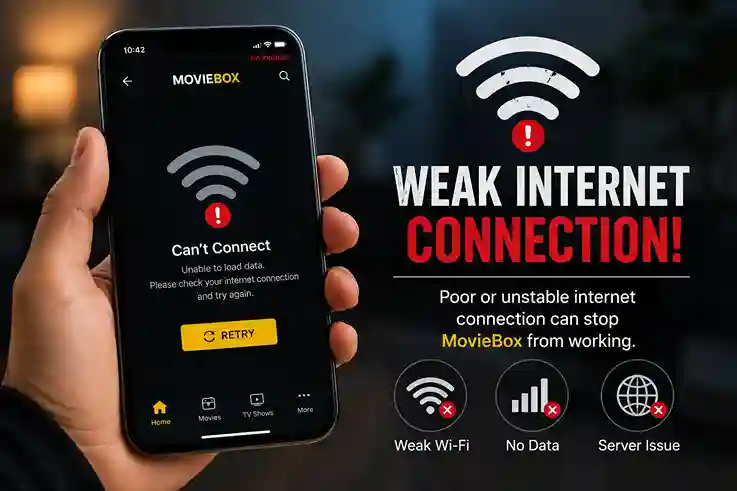
Outdated APK is the number one cause. Old versions lose connection to current servers and stop loading content entirely. Always use the latest version from movieboxapkhub.com.
- Corrupted cache builds up over time and causes the app to freeze, crash on startup, or show a black screen. Clearing cache fixes this instantly on Android.
- VPN conflicts happen when your VPN server is blocked by MovieBox streaming servers. Turning off the VPN or switching servers resolves this immediately.
- Slow internet is another common cause. MovieBox needs at least 5 Mbps for smooth HD streaming. Below that you will see constant buffering and loading spinners that never finish.
- ISP or region blocks happen when your internet provider or country blocks MovieBox servers. This is common for PTCL, Jazz, and Telenor users in Pakistan, Jio and Airtel users in India, and users in Australia and several Middle Eastern countries.
Is MovieBox Down Right Now?
Before touching your device, confirm whether the problem is on MovieBox servers or on your end.
Signs it is a server problem: the app opens fine but no content loads at all, every title shows a loading spinner that never finishes, the problem started suddenly for no reason, and your internet works normally on other apps like YouTube or Netflix.
Signs it is your device or network: the app crashes before the home screen loads, the issue is only happening on one specific device, it started after a phone update or VPN change, or you are seeing a specific error message.
To confirm a server outage, search “MovieBox not working” on Reddit r/MovieBoxPro or Twitter right now. If you see many complaints posted in the last hour, it is a server issue and the only fix is to wait. Most MovieBox outages resolve within a few hours.
If the problem is just on your device, continue with the fixes below.
How to Fix MovieBox Not Working – Quick Fixes
Try these fixes in order. Most people are back to streaming after step two or three.
- Close MovieBox completely and restart your device. This clears temporary memory issues and fixes around 30 percent of cases on its own.
- Clear the app cache. On Android go to Settings, then Apps, then MovieBox, then Storage, and tap Clear Cache. Do not tap Clear Data unless you want to lose your watchlist. Restart the app after clearing.
- Update MovieBox. Outdated versions are the biggest cause of MovieBox stopping in 2026. Download the latest APK from movieboxapkhub.com and install it over your existing version without uninstalling first.
- Check your VPN. If you use a VPN, turn it off and try MovieBox again. If it works without the VPN, your VPN server is conflicting with MovieBox. Switch to a US, UK, or Canada VPN server and try again.
- If nothing above works, uninstall MovieBox completely, download the latest version from movieboxapkhub.com and do a fresh install.
MovieBox Error 500 Fix
Error 500 means the MovieBox server is temporarily overloaded. It is not a problem with your device.
Wait 10 to 15 minutes and try again. Enable a VPN and choose a US or UK server before reopening the app. If Error 500 still appears after 30 minutes, reinstall the latest APK from movieboxapkhub.
Error 500 almost always resolves itself within one hour. If it persists beyond that, it is a major server outage and you can check Reddit r/MovieBoxPro for updates.
MovieBox Black Screen Fix
A black screen usually means a corrupted APK or cache problem.
- Clear cache first: Settings → Apps → MovieBox → Clear Cache.
- Disable battery saver mode on Android as it can restrict app rendering. If you are on PC using BlueStacks, update your graphics drivers and enable virtualization in BIOS settings. Try switching to a different video player inside
- MovieBox app settings. If the black screen persists,
- Reinstall the latest version from movieboxapkhub.
MovieBox Keeps Buffering and Freezing
Buffering means your internet speed or server connection is too slow for the selected quality.
First drop video quality to 720p inside the player — Settings, Quality, 720p. Switch from mobile data to WiFi or vice versa. Try a different server by tapping the server icon inside the player. Close all background apps to free up RAM. If you are on WiFi, move closer to your router or switch to wired connection on PC.
MovieBox needs a minimum of 5 Mbps for smooth HD streaming. You can test your speed at fast.com before troubleshooting further.
MovieBox Not Available in Your Region
If MovieBox shows a region error or content simply will not load in your country, your ISP is blocking MovieBox servers.
Connect to a VPN server in the US, UK, or Canada before opening MovieBox. This immediately bypasses the region block. Proton VPN free tier works for testing. Paid VPNs give better streaming speeds without buffering.
Pakistan users (PTCL, Jazz, Telenor): Change DNS to 8.8.8.8 and 8.8.4.4 in WiFi settings.
If you already have a VPN and still see the region error, switch to a different server location and try again.
MovieBox Not Working on iPhone
iPhone specific issues are usually a profile trust problem.
Go to Settings, then General, then Device Management, find the MovieBox profile and tap Trust. If the profile has expired you need to reinstall using AltStore.
Full iOS installation guide is available at Moviebox iOS
MovieBox Not Working on PC
PC issues are usually related to the emulator setup.
Update BlueStacks to the latest version first. Enable virtualization in BIOS — VT-x for Intel, AMD-V for AMD processors. Allocate minimum 4GB RAM in emulator settings. Reinstall MovieBox APK inside the emulator after updating.
Full PC setup guide is available at Moviebox on Pc
MovieBox Not Working on Firestick
Firestick issues happen when the APK version is outdated or developer options are disabled.
Go to Settings, My Fire TV, Developer Options and confirm Apps from Unknown Sources is still enabled. Open the Downloader app, go to movieboxapkhub.com and reinstall the latest version. Clear Firestick cache by going to Settings, Applications, Manage Installed Applications, MovieBox, Clear Cache.
Error Code Table
Quick reference for all common MovieBox errors in 2026:
| Error | Meaning | Fix |
|---|---|---|
| Error 500 | Server overloaded | Wait 15 min, use VPN |
| Error 403 | Region blocked | Enable VPN — US/UK server |
| Error 404 | Content not found | Try different server |
| Black Screen | Corrupted cache/APK | Clear cache, reinstall |
| Loading Spinner | Slow internet/server | Drop quality to 720p |
| Login Loop | Corrupted APK | Fresh install |
FAQs
Why is MovieBox not working today?
Usually server overload or outdated APK. Clear cache and reinstall from movieboxapkhub.
How do I fix MovieBox Error 500?
Wait 15 minutes, enable VPN with US server, relaunch app.
MovieBox not working on WiFi but works on mobile data?
Your router DNS may be blocking streaming servers. Change DNS to 8.8.8.8 in WiFi settings.
Is MovieBox down right now?
Check Reddit r/MovieBoxPro for recent complaints. If many users report same issue, servers are down temporarily.
How do I update MovieBox in 2026?
MovieBox does not auto-update. Download latest version manually from movieboxapkhub.
MovieBox not working in Pakistan?
PTCL and Jazz sometimes block streaming servers. Change DNS to 8.8.8.8 or use ProtonVPN free tier.
Conclusion:
Most MovieBox issues in 2026 are fixed by clearing cache, updating the APK, or enabling a VPN. Start with the quick fix checklist above and work through each step. Always download the latest version from movieboxapkhub.com to avoid corrupted files that cause most errors. If one fix does not work, the next one almost certainly will.